Business Overview
See revenue, contribution, settlements, stock signals, and account activity in one operating view.
Open overviewMove from scattered marketplace reports to connected sales, finance, order, and inventory workflows your team can use every day.
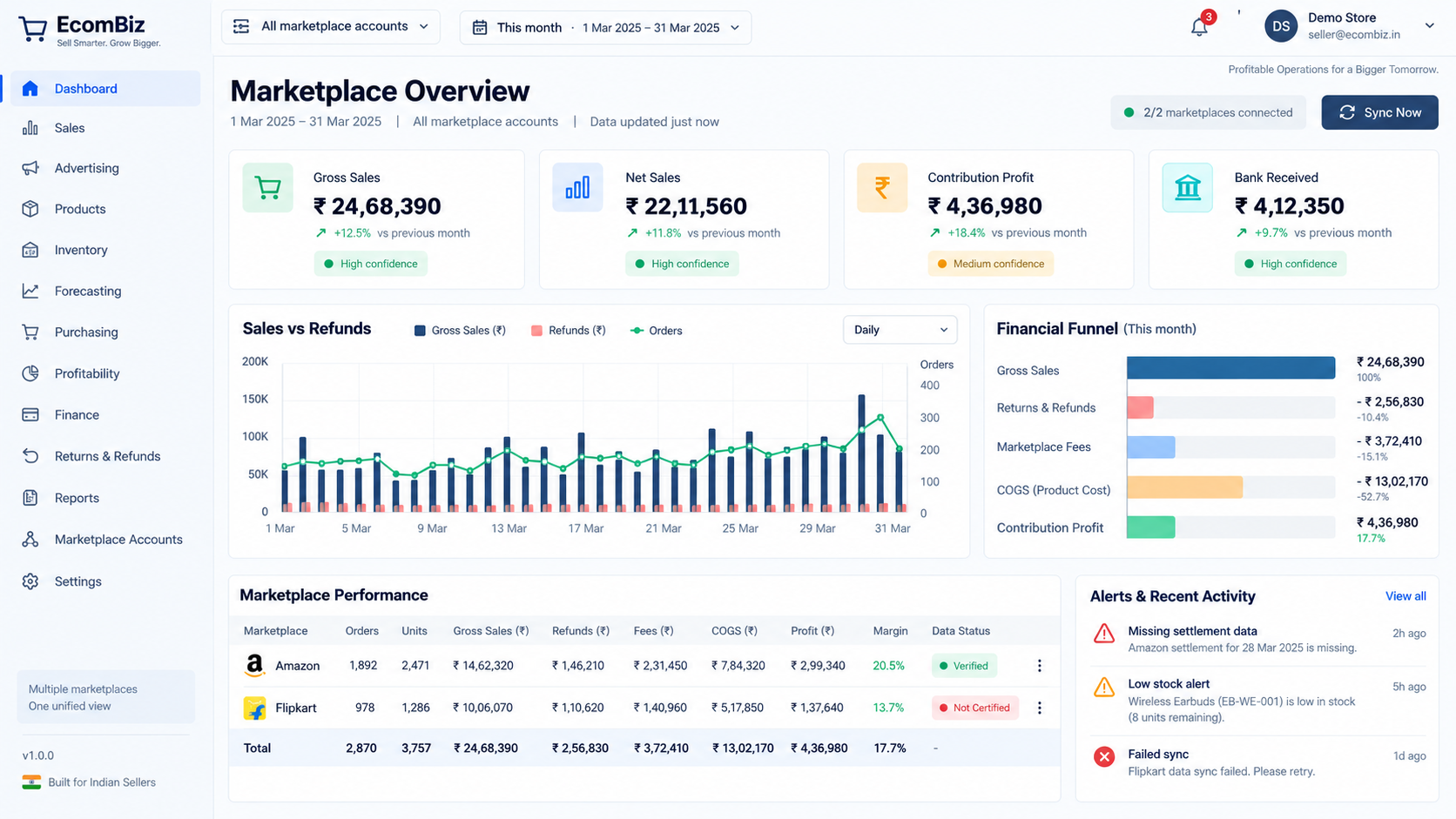
Each tool shares the same account and date context, so sales, fees, returns, advertising, inventory, and COGS do not drift into separate versions of the truth.
See revenue, contribution, settlements, stock signals, and account activity in one operating view.
Open overviewCompare gross sales, refunds, net sales, fees, COGS, and SKU contribution across any period.
Explore salesMonitor marketplace, warehouse, master, and partial stock with ageing and low-stock signals.
View inventoryTrace orders, returns, replacements, fees, courier charges, and profit through the full lifecycle.
Track ordersKeep master products and marketplace SKUs mapped, searchable, and ready for multi-account operations.
Manage listingsExport structured marketplace, payment, tax, advertising, return, and profitability reports.
Review reports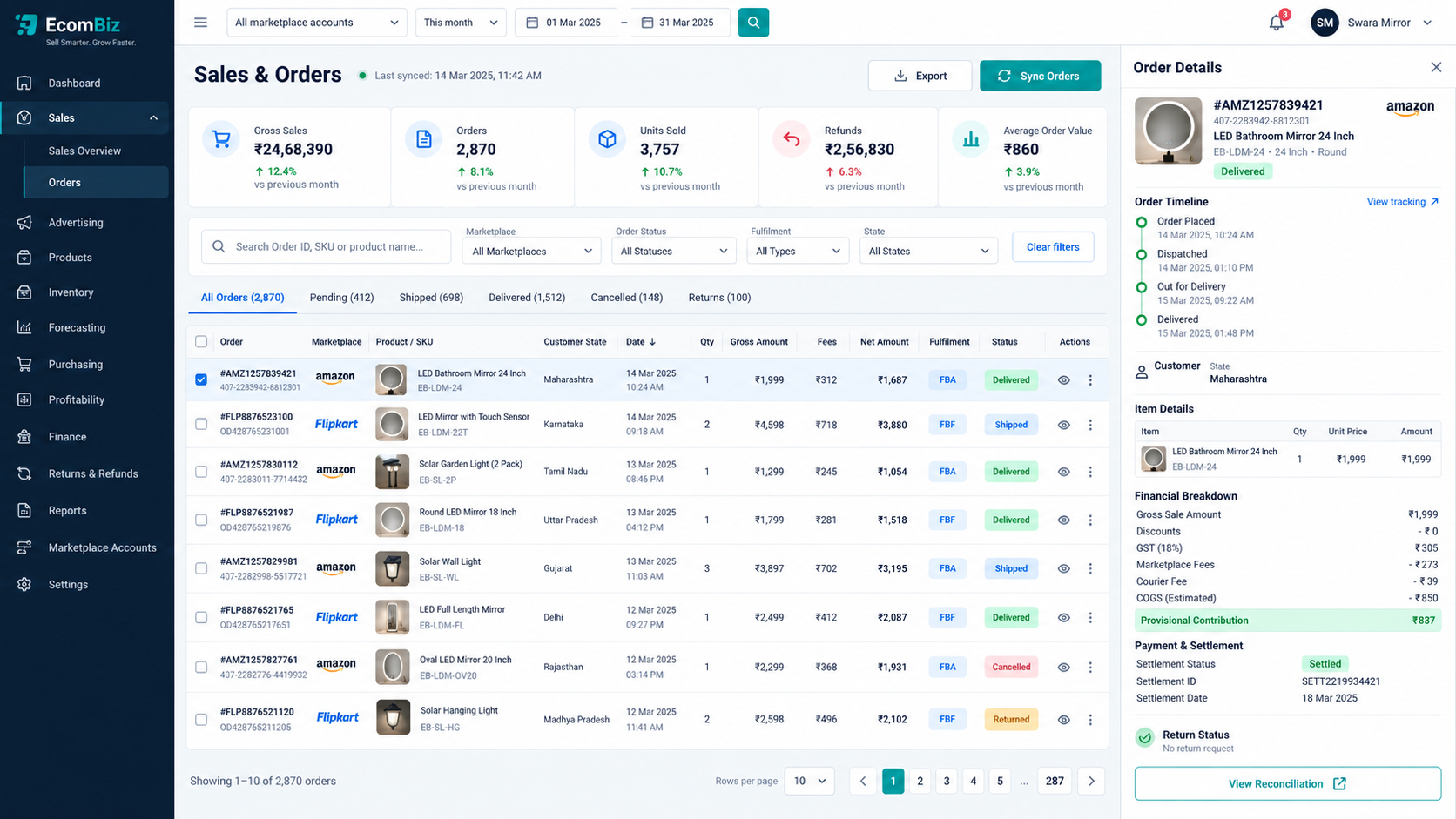
Start with the business overview, move into a SKU or order, and inspect the source transactions without losing your marketplace or date filter.