Financial overview
See gross sales, refunds, net sales, marketplace fees, COGS, advertising, settlements, and contribution together.
Connect marketplace activity with product costs, fees, returns, advertising, settlements, and stock so your team can move from totals to evidence.
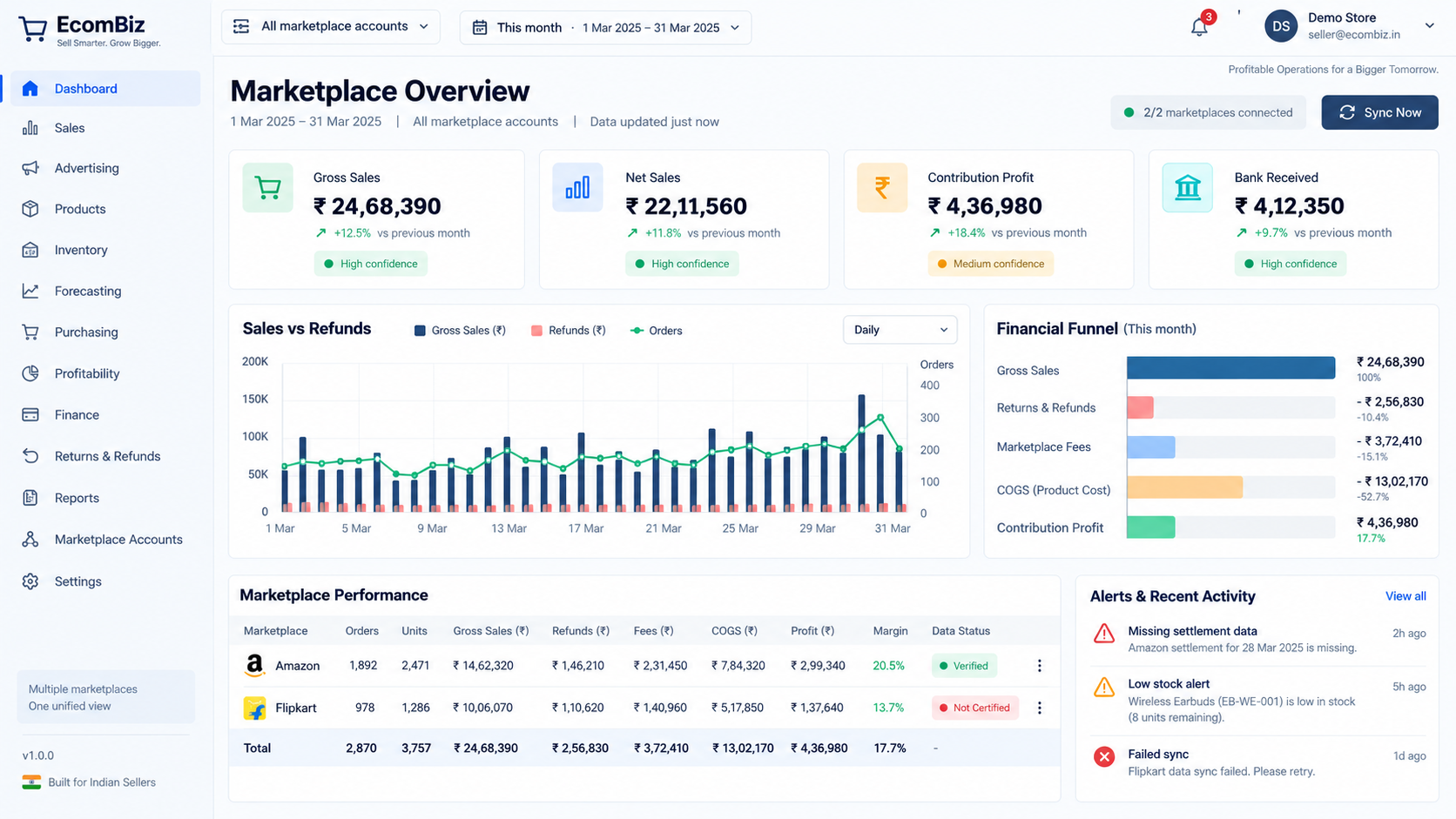
See gross sales, refunds, net sales, marketplace fees, COGS, advertising, settlements, and contribution together.
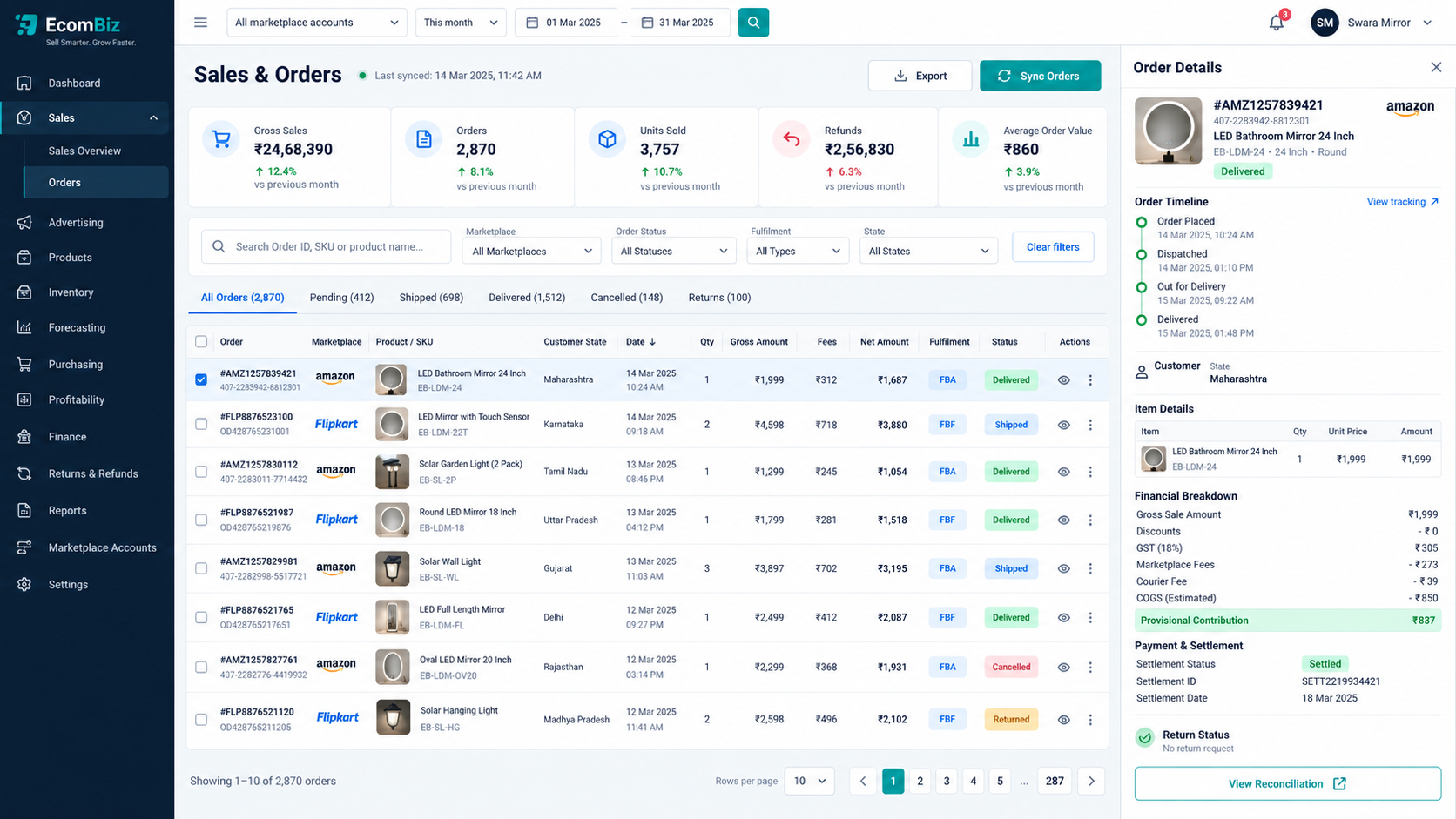
Trace order value and marketplace transactions through shipping, cancellation, return, replacement, and reimbursement events.
Review gross and net sales, recorded product costs, allocated fees, advertising, and contribution by SKU.
Separate customer returns, RTO, reimbursements, and known inventory disposition instead of treating every refund alike.
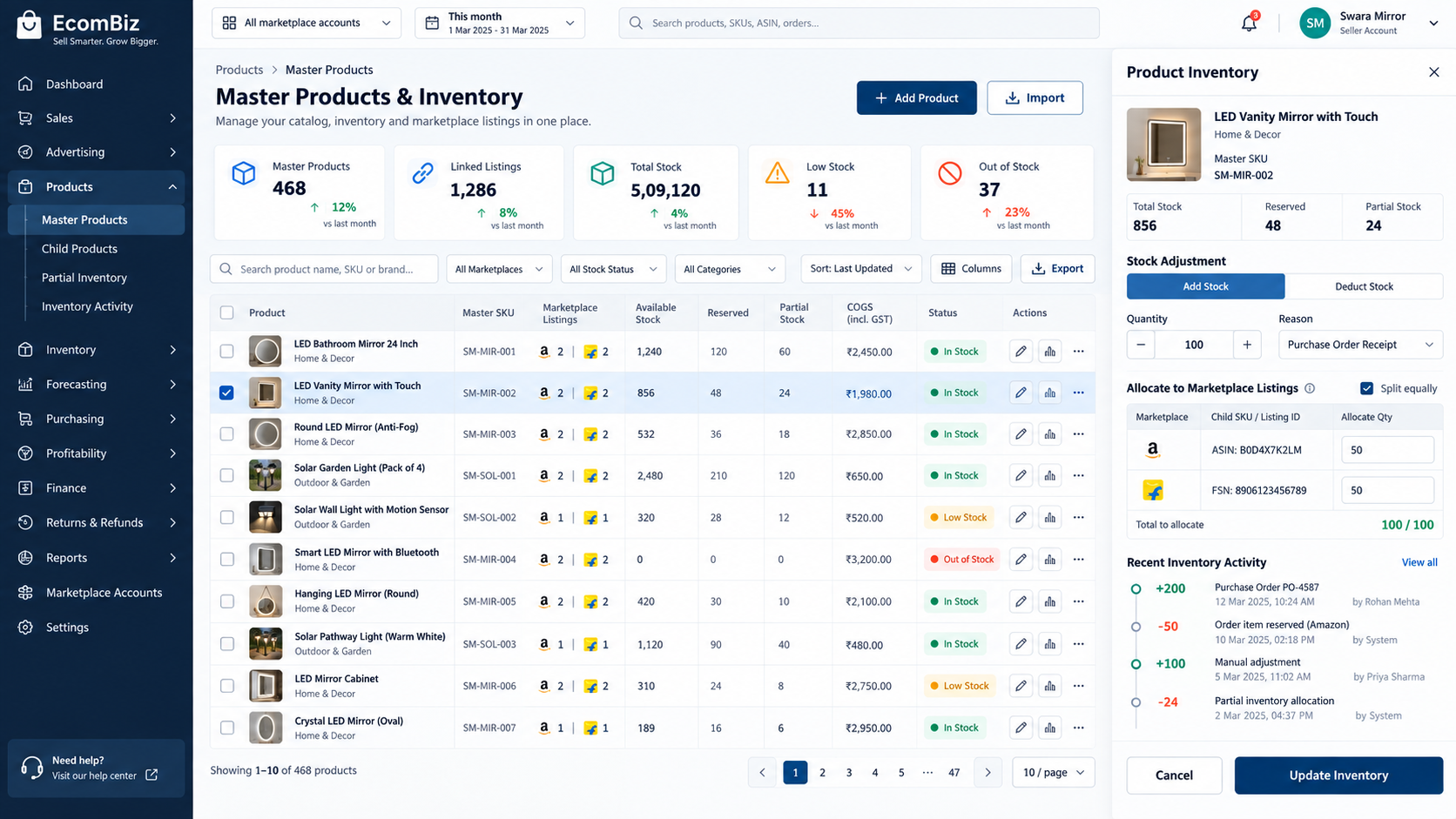
Manage master products, child listings, partial inventory, marketplace stock, warehouse stock, and ageing signals.
Generate structured operational and finance exports using the selected account and reporting period.
Keep the same marketplace and date context while moving into orders, transaction categories, courier charges, tax, COGS, and contribution.
Use a master-product layer to organize marketplace listings and maintain a practical inventory view without losing account-level detail.